Design a Standout YouTube Thumbnail That Drives Clicks
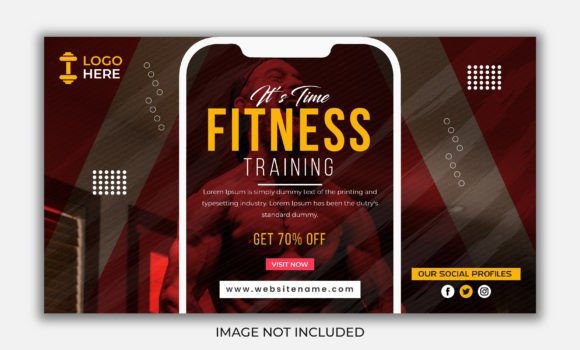
Your YouTube thumbnail is the single most important piece of visual real estate for your channel. It's the first impression, the silent salesperson, and the deciding factor between a viewer clicking your video or scrolling right past it. A well-designed YouTube Thumbnail isn't just a pretty picture; it's a strategic tool built for performance. This template is engineered for creators who understand that presentation is paramount. It moves beyond basic snapshots, offering a structured, elegant framework designed to make your content look polished, professional, and impossible to ignore in a crowded feed.
The Anatomy of an Effective YouTube Thumbnail
What makes a thumbnail truly work? It's a blend of clarity, emotion, and branding. This YouTube Thumbnail template excels because it prioritizes visual hierarchy. The 1280 x 720px size is the standard, ensuring perfect display across all devices. But the real value lies in its organized, layered structure. Key elements—like your subject, headline text, and logo—are positioned using principles of modern typography and layout. This isn't just about placing elements on a canvas; it's about guiding the viewer's eye. The design personality is one of clean confidence. It avoids clutter, using ample negative space to let your core message breathe. This elegance translates directly to perceived value, signaling to potential viewers that your content is worth their time.
The appeal is universal yet adaptable. For a business channel, it conveys professionalism. For a personal vlog, it offers a polished stage for your personality. The included Smart Objects are the key to this customization. They allow you to swap out imagery and text non-destructively, preserving the template's inherent balance while making it uniquely yours. You're not starting from scratch; you're applying your brand identity to a proven, high-impact format. This approach is a cornerstone of efficient brand identity management, ensuring consistency across every video you publish.
Practical Applications: Where This Template Shines
This YouTube Thumbnail design asset is versatile. Its strength lies in its ability to be adapted for a multitude of channels and industries without losing its core effectiveness.
- Business & Marketing: Perfect for tutorials, product demos, webinar promotions, and case study breakdowns. The clean layout supports clear text overlays for key takeaways or statistics, enhancing your professional brand identity.
- Creative & Design Channels: Ideal for showcasing portfolio pieces, software tutorials, or design critiques. The structured frame acts like a mini editorial design layout, focusing attention on your visual work.
- Education & How-To: The clear visual hierarchy makes it easy to highlight the core topic or problem being solved, improving click-through rates for informational content.
- Personal Branding & Lifestyle: Provides a consistent, elegant frame for vlogs, Q&As, and story times, helping to build recognition and a cohesive channel aesthetic.
- E-commerce & Product Reviews: The template can be adapted for packaging design previews or product highlight videos, creating a cohesive look between your video content and your product line.
Think of it as a foundational design asset. Just as you might use a consistent font pairing or color palette, using a well-structured thumbnail template systematizes part of your production workflow. It ensures that every piece of content you release has the same level of visual polish, which is critical for building channel recognition and audience trust over time.
Maximizing Impact: Editing and Customization
The included Layered PSD File is designed for intuitive editing. All main elements are isolated on their own layers, making changes straightforward. Here’s a practical guide to getting the most out of it:
- Start with Your Subject: The most engaging thumbnails feature a clear, high-quality image of a person or a product. Use the Smart Object layer designated for your main image. Ensure the subject is well-lit and has a compelling expression or is shown in an interesting context.
- Apply Your Typography: The template uses All Free Fonts, eliminating licensing headaches. Choose a typeface that aligns with your channel's voice. For a bold, modern look, a strong sans serif font works well. For a more classic or authoritative feel, consider a serif font. The key is readability—your text must be legible even at a small size on a mobile screen. Avoid overly ornate script fonts for primary headlines.
- Integrate Your Branding: Add your channel logo or a consistent color overlay using the designated layers. This small step is crucial for brand consistency. It helps viewers instantly recognize your content in their recommendations, fostering a sense of familiarity and loyalty.
- Test and Iterate: Don't just create one thumbnail. Make several variations for a single video, changing the headline text or the focal point of the image. Use YouTube's A/B testing feature or monitor your analytics to see which style resonates most with your audience. This data-driven approach is what separates good channels from great ones.
Remember, the goal is not to use every design trick in the book. The strength of this YouTube Thumbnail template is its restraint. It provides a strong, organized skeleton. Your job is to add the muscle—your unique imagery and messaging—and the skin—your brand's colors and fonts. The RGB Color mode ensures vibrant, screen-ready hues. By focusing on clarity, emotion, and consistent branding, you transform a simple template into a powerful engine for channel growth. This is practical design thinking applied to one of the most important surfaces in digital media. Start editing, stay consistent, and watch your channel's visual presence elevate.