Launch Your Next Bestseller with a Pro Ebook Cover Design Template
Let’s be honest. You have spent weeks, maybe months, perfecting your manuscript. You have poured your soul into the content, refined every chapter, and polished every paragraph until it shines. But here is the brutal truth of the digital marketplace: no one will read a word of it if the cover doesn't grab them. In the world of self-publishing and digital marketing, your cover is your handshake, your first impression, and your primary sales pitch all rolled into one pixelated package. If you are relying on generic stock photos or a rushed DIY attempt, you are likely leaving money and readers on the table.
Why Professional Design Assets Matter
Design is not just about making things look pretty; it is about communication. When a potential reader scans Amazon, a social media feed, or a landing page, they are making split-second judgments based on visual hierarchy and brand identity. A professional EBook Cover Design Template provides the structural backbone you need to compete with traditionally published titles. It bridges the gap between a raw idea and a polished product. You are not just buying a pretty picture; you are investing in a design asset that signals credibility and quality before the reader even reads your title.
The appeal of a high-quality template lies in its balance of structure and flexibility. Think of it as the architectural blueprint for your book’s face. The heavy lifting—aligning elements, establishing a readable layout, and choosing a color palette that pops—is already done. However, unlike a static image file, a dynamic template allows you to infuse your own personality. It is the difference between renting a hotel room and renovating your own home. The foundation is solid, but the decor is entirely up to you.
Seamless Editing: The Canva Advantage
One of the biggest hurdles for independent creators is the software barrier. Professional design suites like Adobe Photoshop or InDesign have steep learning curves and subscription costs that can add up quickly. This is where the EBook Cover Design Template shines by utilizing Canva, a browser-based platform that millions already know and love. Upon purchasing, you receive a PDF file containing a direct link. With one click, the entire design is copied to your account. There is no software to install, no font files to hunt down, and no compatibility issues between Mac and Windows systems.
The value here is accessibility. If you know how to drag, drop, and resize an image, you can customize this template. The workflow is intuitive. You can swap out the placeholder text for your catchy title, change the fonts to match your book's genre, and adjust the color scheme to fit your branding. Whether you are a tech-savvy entrepreneur or a hobbyist writer, the barrier to entry is virtually non-existent. You can edit on any computer right in your browser, making it perfect for those who work across multiple devices or locations.
Visual Appeal and Stylistic Versatility
While the specific aesthetic of the template can vary, the underlying goal is always modern typography and visual impact. A well-designed template avoids the "clip art" look that plagues so many self-published works. Instead, it focuses on clean lines, ample white space, and a strong visual hierarchy. The design elements included—whether they are geometric shapes, subtle textures, or bold accent colors—are chosen to be versatile. They work just as well for a serious business report as they do for a lifestyle guide or a fiction novel.
Consider the personality of the design. Does it feel authoritative? Playful? Minimalist? The beauty of having access to all elements is that you can shift the mood entirely. You might start with a corporate-looking layout but, by changing the display font to a handwritten font and swapping the color palette to pastels, you instantly transform it into a recipe book or a personal journal. This adaptability makes the EBook Cover Design Template a valuable addition to any creative’s toolkit, allowing one asset to serve multiple projects over time.
Practical Applications Beyond the Bookshelf
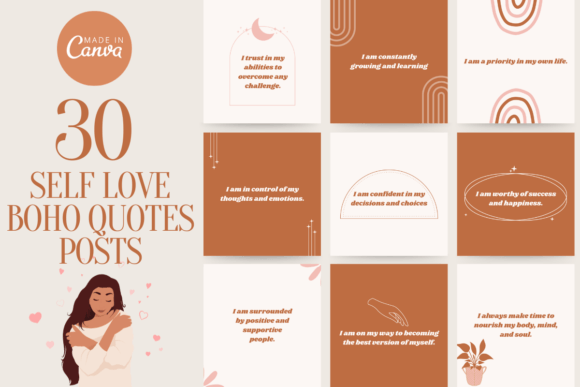
Do not limit your thinking to just the front cover of a PDF. In today's multi-channel marketing environment, your design assets need to work harder. This template is not just for editorial design; it is a springboard for your entire content ecosystem. You can use the design elements to create consistent social media graphics that promote your launch. The visual language established on your cover can be carried over to your Instagram stories, Facebook ads, and Pinterest pins, creating a cohesive brand identity that builds recognition.
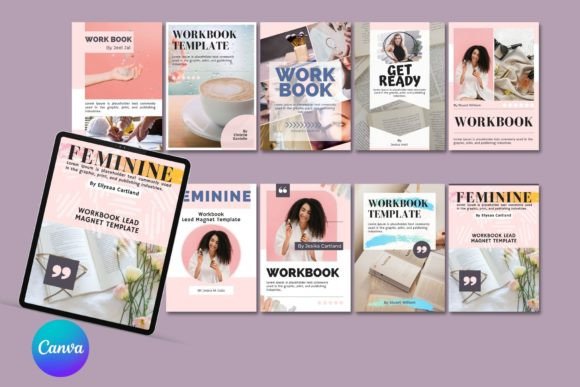
Furthermore, the principles applied in the template are transferable to other mediums. If you are a small business owner, the layout might inspire your next packaging design or web design hero section. If you are a course creator, the template can be adapted for workbook covers or slide decks. The ability to move, add, remove, rotate, and scale all elements means you are not locked into a rigid structure. You have the freedom to deconstruct the design and rebuild it to fit a logo design concept or a set of business cards. It is a masterclass in layout, disguised as a simple download.
Choosing the Right Typography and Pairings
Typography is the voice of your design. A common mistake in DIY design is choosing fonts that clash or are difficult to read. A professional template usually comes with a curated font pairing—a combination of a serif font and a sans serif font, or perhaps a script font paired with a bold headline typeface. These pairings are chosen to create contrast and guide the reader's eye naturally from the title to the subtitle and author name.
When you customize your EBook Cover Design Template, pay close attention to readability. A premium font might look stunning in a large size, but if it becomes illegible when scaled down for a thumbnail image, it fails its primary job. Use the bold, decorative styles for headers to catch attention, but stick to clean, legible serifs or sans-serifs for any smaller text. Canva offers a vast library of typefaces, but sticking to the styles suggested in the original template is often the safest bet for maintaining that professional polish. Test your font choices by zooming out; if you can't read the title at a postage stamp size, it needs work.
Finalizing Your Project
Once you have uploaded your own images and logo, and tweaked the colors to your liking, the final step is export. Because the template is saved in Canva, it is ready to use over and over again. You can duplicate the design to create variations for different volumes or series, ensuring visual consistency across your entire catalog. This is crucial for building a recognizable brand in a crowded market.
Remember, the goal of the EBook Cover Design Template is to empower you. It removes the technical barriers so you can focus on what matters: your message. By combining your unique content with a professional design framework, you create a product that not only looks good but also feels trustworthy. Whether you are publishing your first novel, launching a lead magnet for your business, or creating a portfolio, starting with a strong design foundation is the smartest move you can make. Don't just publish; present your work with the confidence it deserves.